
In This Article
What is a hardside carry-on with front laptop compartment? It’s a rigid-shell, cabin-sized rolling suitcase, usually polycarbonate or ABS, with a padded pocket or door on its front panel. That pocket holds your laptop (and often a tablet), so you can pull the device out at security without opening the main packing space.
Picture the alternative. You’re in the security line, shoes half off, and your laptop is buried under a pile of shirts. A hardside carry-on with front laptop compartment ends that scene. The laptop goes in one zone and the clothes in another, and the two never meet.
The category is also messier than the marketing suggests. Some “front pockets” are rigid doors with padded sleeves. Others are soft fabric pouches bolted onto a hard shell, and the padding varies a lot. Laptop sizes range from 14 inches to 17. Some bags look perfect on the screen and then fail the airline sizer in real life. Most major US airlines cap a carry-on bag at 22 x 14 x 9 inches including wheels and handles, but some carriers allow more and a few allow less.
This guide covers seven real options across budget, mid-range and premium tiers, plus the buying logic behind them. One note on method: this is analysis, not a hands-on lab test. Everything here is built from manufacturer specs, retailer listings, editorial reviews and the aggregated themes in published buyer feedback. Where reviews were thin, I say so rather than fill the gap with guesses.
Quick Comparison Table: Our Top Picks at a Glance
| Product | Front Compartment Fit | Shell | Price Range | Best For |
|---|---|---|---|---|
| LEVEL8 Grace 20-Inch | Up to 15.6″ laptop | PC+ABS | Budget-to-mid tier | Remote workers, all-round value |
| Samsonite Omni 2 Pro | Up to 16″ (per roundups) | Hardside | $75-$130 range | Brand-name bargain hunters |
| LUGGEX FX-Core | Up to 17″ laptop | Hardside | Budget-to-mid tier | Creators with big laptops |
| Delsey Turenne 2.0 | 14″ laptop sleeve | Recycled polycarbonate | $220-$330 range | Style plus USB passthrough |
| Samsonite Octiv Pro | Up to 16″ laptop/tablet | Polycarbonate base | $290-$325 range | Frequent flyers on rough floors |
| Monos Carry-On Pro Plus | 16″ laptop, plus tablet and charger pockets | Hardside, dent-resistant | Premium tier | Business travelers |
| CENSIEN Hard Shell 20-Inch | 15.6″ front pocket | ABS+PC | Budget tier | Weight-conscious packers |
Where I couldn’t verify a stable price range, the table shows a tier. Check current prices before buying.
Looking at the table, the Samsonite Omni 2 Pro is the cheapest way into a front-pocket hardside from a major brand, while the Monos Carry-On Pro Plus is the splurge for people whose carry-on doubles as a mobile office. The LUGGEX FX-Core stands out as the only pick here advertising 17-inch laptop room. If your laptop is 14 inches or smaller, the Delsey Turenne 2.0 gives you the most polished front-access design in the group.
💬 Just one click — help others make better buying decisions too!😊
Top 7 Hardside Carry-On With Front Laptop Compartment Picks: Expert Analysis
1. LEVEL8 Grace 20-Inch — the do-it-all pick for 15.6-inch laptops
Think of the LEVEL8 Grace as the suitcase equivalent of a reliable work sedan. Nobody posts it on Instagram, yet it starts every morning. Its front compartment is built for laptops up to 15.6 inches, which covers most 13-, 14- and 15-inch work machines. A 16-inch laptop is a gamble, so measure yours first.
The shell is a PC+ABS blend with a micro-diamond texture, which hides scuffs better than glossy plastic. Eight spinner wheels keep it rolling quietly. The main compartment expands from roughly 36 to 42 liters in listings, and several sellers mention TSA-accepted locks on both the main body and the front panel. Weight is usually quoted around 9 pounds, though listings vary, so confirm on the page you buy from.
That expansion zipper matters more than it sounds. It’s the difference between a two-day trip and a four-day trip with souvenirs. Based on the spec comparison, this bag suits remote workers, students and hybrid commuters who want a firm wall between “work stuff” and “clothes.”
Reviewers consistently praise the easy front access and smooth rolling. Common complaints are that it gets bulky when expanded and that the laptop pocket runs a bit narrow. One roundup cites more than 6,000 buyer reviews, which is a healthy sample.
Pros:
- ✅ Front pocket fits laptops up to 15.6 inches
- ✅ Expandable main compartment adds trip flexibility
- ✅ Textured shell hides scratches and scuffs
Cons:
- ❌ Bulky and harder to fit in bins when expanded
- ❌ Reported as not water resistant
Price and value: budget-to-mid tier, so check current price. For most people this is the safest first buy.

2. Samsonite Omni 2 Pro — big-brand front pocket at a small-brand price
The Samsonite Omni 2 Pro is the pick for people who want a recognizable name without a recognizable bill. It’s a hardside expandable spinner with a QuickEntry front pocket, and roundups list laptop room up to about 16 inches. Treat that as a number to verify against the listing’s interior pocket dimensions.
The practical upside of a front-open layout is speed. You reach the laptop, charger and boarding documents without disturbing the clothes. Roundups also describe the layout as TSA-friendly, meaning the device comes out cleanly and goes back just as fast.
I couldn’t verify a deep pool of long-term buyer reviews for this specific model, so I won’t claim a verdict on durability. What the spec sheet does tell us is that hardshell front pockets carve volume out of the main compartment. The molded front cavity takes up real space, so expect a slightly smaller packing area than a plain hardside of the same size.
Based on that trade-off, the bag fits two- to four-day trips and travelers whose priority is device access over cavernous capacity. Samsonite’s service network is a quiet plus if something breaks, but confirm the warranty terms for this exact model before you rely on them.
Pros:
- ✅ Quick-entry front pocket with laptop room
- ✅ Expandable hardside body adds packing flexibility
- ✅ Brand name with wide repair and service presence
Cons:
- ❌ Thin verified review pool for long-term durability
- ❌ Front cavity reduces main compartment volume
Price and value: roughly the $75-$130 range depending on promotions at the time of research. At the low end, that’s strong value.
3. LUGGEX FX-Core — the rare option with room for 17-inch laptops
If you carry a gaming laptop or a creator rig, most suitcases on this list will fail you. The LUGGEX FX-Core is advertised with a front laptop compartment for devices up to 17 inches, the largest in this group. It also expands from about 38 to 42 liters and uses a front-to-rear separation design that keeps tech and clothing in different zones.
Here’s the part spec sheets skip. A 17-inch laptop is physically wide, so the front panel needs real width and depth to hold it. That’s the trade-off to check. Look closely at the listed dimensions and confirm that the expanded size still fits the 22 x 14 x 9 pattern most big US carriers use. Many hardside bags bulge when overfilled, and a bulging shell doesn’t compress back into a sizer.
For creators and engineers, the separation design is the real selling point. Cables, a mouse and a charging brick can live up front while clothes stay clean. Roundups list this model near the top of their front-compartment picks, but I couldn’t verify a large body of independent buyer feedback, and you should weigh that honestly.
Pros:
- ✅ Front compartment advertised for up to 17-inch laptops
- ✅ Front-to-rear separation keeps tech and clothes apart
- ✅ Expansion adds roughly 10% packing space
Cons:
- ❌ Expanded size may press airline limits
- ❌ Smaller brand with limited verified service history
Price and value: budget-to-mid tier, so check current price. It’s a good value if you truly need the 17-inch fit.
4. Delsey Turenne 2.0 — the button-release front door that feels like a car trunk
The Delsey Turenne 2.0 has the most elegant front access here. A slider button on top releases a front door, so there’s no zipper wrestling. Behind it sits a padded sleeve for laptops up to 14 inches, plus a USB passthrough port. You supply the power bank.
The rest of the spec sheet reads like a business traveler’s wish list. The 22-inch recycled-polycarbonate shell weighs about 7.2 pounds, holds roughly 37 liters (40 expanded), and includes tie-down straps, mesh pockets, a TSA lock and a 10-year warranty. One caution: retailer listings show a depth near 9.5 inches. That’s slightly above the classic 9-inch pattern, so check your airline’s rules.
Buyer sentiment skews positive. On Delsey’s own site, buyers rate it around 4.7 across 114 reviews. Treat brand-site ratings with a little extra skepticism, since sellers curate them. Retailer reviews run a notch lower, around 4.3 to 4.4. People like the lightness, smooth wheels and a front pocket that locks. Reported complaints include less usable space once the laptop section is in use, and no tactile “click” when the door re-latches.
Pros:
- ✅ Button-release front door, no zipper fiddling
- ✅ Lockable front pocket with USB passthrough port
- ✅ Light at roughly 7.2 pounds with a 10-year warranty
Cons:
- ❌ Laptop sleeve tops out at 14 inches
- ❌ Door latch gives little tactile confirmation
Price and value: about the $220-$330 range at the time of research. The premium is justified only if you value the front-door design.
5. Samsonite Octiv Pro — padded 16-inch pocket plus suspension wheels
The Samsonite Octiv Pro is a hybrid: a padded fabric front pocket sits on top of a hardside polycarbonate base. Listings describe a protective sleeve for a laptop or tablet up to 16 inches, with organization compartments for smaller items. It rolls on four dual spinner wheels with Aero Trac suspension, and it weighs roughly 7.9 pounds.
The suspension is a bigger deal than it sounds. Wheels that absorb bumps matter on cracked sidewalks and stone concourses, which is where cheaper spinners start to rattle and fail. Because the pocket is fabric, you get more protection from padding than from the shell. That’s a fair compromise for most laptops. It also means the pocket’s contents are less rigid than a hard-door design.
Editorial roundups lean positive, but some list real trade-offs. The front pocket’s bulk can limit access to the main compartment, there’s no built-in USB port, and the price sits higher than most. I couldn’t pin down a reliable numeric review average, so I won’t invent one. The pattern in what I did find is a polished bag that rewards frequent flyers.
Pros:
- ✅ Padded sleeve for laptops up to 16 inches
- ✅ Suspension spinner wheels smooth out rough floors
- ✅ Organized front pocket for chargers and documents
Cons:
- ❌ Front pocket bulk can complicate main access
- ❌ No USB port at a premium price
Price and value: around the $290-$325 range at the time of research. It’s good value for weekly travelers and overkill for occasional ones.

6. Monos Carry-On Pro Plus — the business-class option for 16-inch laptops
The Monos Carry-On Pro Plus is the one Forbes Vetted names as its best hardside for business travel. Its front compartment unzips to reveal three pockets: one large enough for a 16-inch laptop, one for a tablet, and one for chargers. The front pocket locks (you pick the lock), and the main body has a built-in TSA-approved lock. That’s the closest thing in this guide to a proper mobile office.
Other features include a four-position telescopic handle, 360-degree spinners, a removable compression pad with a zippered pocket and leather detailing. The warranty is a limited lifetime plus a 100-day trial. Listed dimensions are about 23 x 15 x 9.5 inches and 8.3 pounds, which is notably larger than the standard 22 x 14 x 9 pattern.
That size matters. Based on the spec comparison, this is a bag you check against your airline before buying, not after. On carriers with generous allowances it will fit. On strict ones it may not.
Reviewers and editors praise the organization and the sturdy, dent-resistant shell. The recurring complaint is weight and cost. Added structure means more pounds before you pack a single shirt.
Pros:
- ✅ Dedicated pockets for laptop, tablet and chargers
- ✅ Lockable front pocket plus built-in TSA lock
- ✅ Dent-resistant shell backed by a limited lifetime warranty
Cons:
- ❌ Heavy for a carry-on
- ❌ Listed size runs larger than the 22 x 14 x 9 standard
Price and value: premium tier, typically above $300, so check current price. It pays off only if you fly often and your airline accepts the size.
7. CENSIEN Hard Shell 20-Inch — the featherweight with a 15.6-inch front pocket
The CENSIEN Hard Shell 20-Inch is the lightest option here, listed at about 6.5 pounds. That makes it the one to consider for carriers with weight limits. Hawaiian Airlines, for example, has been cited as capping cabin bags at 25 pounds. It uses an ABS+PC shell with YKK zippers, dual TSA locks and a front pocket sized for 15.6-inch laptops.
Why does weight matter more than it looks? Every pound the empty bag weighs is a pound you can’t spend on clothes before you hit a limit. A bag around 6.5 pounds leaves more room for gear than one near 9 or 10, and your shoulder notices when you lift it into a bin.
The trade-off is track record. CENSIEN is a lesser-known brand, and I couldn’t verify a large pool of independent long-term buyer reviews, so the durability story is unproven. What the specs do tell us is that the basics (YKK zippers, dual locks, front pocket) are the same ones you’d expect from pricier bags.
For students, commuters and occasional flyers, it’s a sensible low-risk entry point. For a bag that must survive 50 flights a year, I’d lean toward a brand with a stronger warranty record.
Pros:
- ✅ Roughly 6.5 pounds, lightest in this guide
- ✅ 15.6-inch front pocket with dual TSA locks
- ✅ YKK zippers at a budget-tier cost
Cons:
- ❌ Limited independent long-term review data
- ❌ Smaller brand with uncertain warranty support
Price and value: budget tier, so check current price. It’s a good value if you pack light and fly a few times a year.
Spec Showdown: How the Seven Compare
| Product | Laptop Size | Weight | Standout Feature | Watch-Out |
|---|---|---|---|---|
| LEVEL8 Grace | 15.6″ | ~9 lb | Expandable, textured shell | Bulk when expanded |
| Samsonite Omni 2 Pro | ~16″ (verify) | Check listing | QuickEntry pocket | Thin review pool |
| LUGGEX FX-Core | 17″ | Check listing | Front-to-rear separation | Expanded size |
| Delsey Turenne 2.0 | 14″ | ~7.2 lb | Button-release door, USB | ~9.5″ depth |
| Samsonite Octiv Pro | 16″ | ~7.9 lb | Suspension wheels | No USB, higher price |
| Monos Carry-On Pro Plus | 16″ | ~8.3 lb | Three-pocket tech zone | Larger dimensions |
| CENSIEN Hard Shell | 15.6″ | ~6.5 lb | Lightest of the group | Unproven longevity |
The table shows a clear split. If laptop size is your constraint, the LUGGEX FX-Core wins for 17-inch machines and the Delsey Turenne 2.0 loses at 14 inches. If airline limits are your constraint, the CENSIEN Hard Shell and Delsey Turenne 2.0 are the lightest, while the Monos Carry-On Pro Plus is the one to verify first. In short, match the bag to your laptop and your airline before you match it to your taste.
How to Choose a Hardside Carry-On With Front Laptop Compartment
Use this numbered checklist. It works the same whichever bag you shortlist.
- Measure your laptop, then add a margin. Check width, depth and thickness, including any case. A 15.6-inch compartment is a screen-diagonal label, not a fit guarantee, and a snug sleeve can be a struggle to use.
- Check the airline’s size rule, not the seller’s. Most major US carriers use 22 x 14 x 9 inches including wheels and handles. Some budget and regional airlines differ, and some international carriers are tighter.
- Pick the right shell. Forbes Vetted’s hardside luggage guide explains that polycarbonate is usually the best all-rounder, being tough and flexible without much weight. Aluminum is heavier and costs more.
- Decide how the pocket opens. Zipper pockets are cheap and flexible, button-release doors are cleaner, and soft fabric pockets add padding at the cost of rigidity.
- Look at locking. A TSA-accepted lock on the main body is standard. A lockable front pocket is rarer and worth it if you leave the bag at your seat.
- Weigh weight and expansion. Light bags leave more packing allowance, but expansion zippers can push you past airline limits.

Carry-On Suitcase With Padded Laptop Sleeve: What the Padding Actually Does
A carry-on suitcase with padded laptop sleeve sounds like a protective fortress. The reality is more modest. Padding absorbs everyday bumps, and a rigid door adds some stiffness. Neither turns the bag into a crush-proof vault. The laptop still lives inside a suitcase that gets lifted, dropped and stuffed into overhead bins.
A useful reality check comes from a long-time business traveler’s review of the Samsonite Pro-DLX 4 on Carryology. It’s an older review, but the lesson holds. The reviewer found the front pocket on that soft-sided hybrid better suited to ultrabooks and tablets than to bigger laptops, and said buyers should check pocket size before purchase. In other words, “padded” doesn’t mean “fits.”
So what should you look for in a carry-on suitcase with padded laptop sleeve? Here’s the short list:
- Real interior dimensions. Look for numbers, not just a diagonal.
- A separate sleeve for the tablet. It prevents device-on-device scratching.
- Padding on both sides. A one-sided sleeve leaves a bare screen against hard shell.
- A sleeve that doesn’t flex into the packing zone. Press on the front panel and see whether it bows inward.
If you also carry a bulky laptop case, take that into account. Many pockets fit a bare laptop but not one wrapped in a thick sleeve.
Quick Access Front Pocket and Padded Tablet Sleeve: Features That Matter (And Those That Don’t)
A quick access front pocket is the feature that earns the category its keep. Done well, it holds your passport, boarding pass, charger and headphones where you can reach them on a moving walkway. Done badly, it’s a flat pouch that swallows things and gives them back reluctantly. Two quick tests tell you which you’ve got: does it open fully without unpacking, and can you close it one-handed?
A padded tablet sleeve is the second feature that earns its place. Tablets are the device everyone forgets until a gate agent calls for one more bin. A separate padded sleeve (like the tablet pocket on the Monos Carry-On Pro Plus) keeps a tablet from scratching against a laptop screen.
What matters less than the marketing suggests:
- USB passthrough ports. They only help if you bring a power bank, and listings for models like the Delsey Turenne 2.0 state that the power bank isn’t included.
- Cup holders and gimmick add-ons. They add weight and rarely survive a year of use.
- Color options. A bright shell shows scuffs sooner, which is why Forbes’ guidance favors darker or textured finishes.
Features that deserve more attention than they get: wheel quality, handle stability and lock design. Those are the parts you touch on every trip.
TSA Friendly Laptop Access: Getting Through Security Without Unpacking
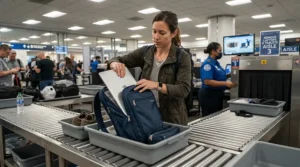
TSA friendly laptop access comes down to one question: can you remove the laptop quickly and place it alone in a bin? According to TSA’s security screening guidance, standard lanes ask travelers to take electronics larger than a phone out of the bag, place them in a bin, and put nothing on top of or beneath them. TSA PreCheck lanes have typically let travelers leave laptops inside. Rules and equipment can change, so check the TSA page before you fly.
Here is a practical routine for TSA friendly laptop access:
- Pre-stage at home. Put the laptop in the front pocket and the charger in the pocket beside it.
- Unlock early. If the front pocket has its own lock, open it while you queue, not at the belt.
- Pull the laptop and tablet together. Place them flat in a bin with nothing on top. Don’t stack your jacket on the lid.
- Keep your liquids bag nearby. A quick-access exterior pocket is the best home for it.
- Repack after the belt. Move away from the line first. Re-latching a door while a queue builds behind you is how things get left behind.
That sequence is where a hardside carry-on with front laptop compartment earns its keep. It converts security from a repack into a two-second removal.
Carry-On Luggage for Business Travelers With Garment Compartment: What Hardside Can Deliver
Let’s be honest about this one. Carry-on luggage for business travelers with garment compartment is mostly a softside feature, and true garment sections are rare in hardshell bags with front laptop compartments. A hardshell clamshell opens flat into two halves, which is great for packing but awkward for hanging a suit.
The Carryology review of the Samsonite Pro-DLX 4 is a useful reference point. That hybrid included a removable suit bag, which the reviewer left at home since suits weren’t part of his work. So even where the feature exists, it’s an accessory, not a built-in zone.
For a hardside, the practical approach is to build your own garment solution:
- Use a folder or garment sleeve. A thin, foldable packing folder keeps a jacket and shirts flatter.
- Use compression pads or straps. The Monos Carry-On Pro Plus includes a removable compression pad, and the Delsey Turenne 2.0 offers tie-down straps.
- Pack heavy items on the hinge side. Shoes and toiletries should sit near the wheels so the jacket stays smooth.
If a hanging garment compartment is non-negotiable, shop softside or a garment-bag hybrid instead. If your suit can fold, a hardside can handle the rest.

Hardside Carry-On With Laptop Pocket vs Softside Alternatives
| Feature | Hardside With Front Compartment | Softside With Front Pocket | Plain Carry-On Plus Laptop Bag |
|---|---|---|---|
| Impact protection | Strong shell | Moderate | Depends on laptop bag |
| Pocket depth | Often shallower | Often deeper | Separate, flexible |
| Compression in bins | Little give | More give | Two items to place |
| Cleaning | Wipes clean | Fabric stains | Mixed |
| Best For | Fragile gear, clean looks | Overpackers, deep pockets | Frugal travelers |
Looking at the comparison, hardside wins on protection and cleanliness, while softside wins on pocket volume and squeezing into tight spaces. A hardshell front pocket also takes volume from the main compartment, which is the price of rigidity. If you pack light and carry a delicate device, hardside is hard to beat. If you stuff a bag to the limit, remember that a bulging hard shell may not fit the sizer when a soft bag would.
Practical Usage Guide: Setting Up and Maintaining Your Front-Pocket Carry-On
First-Use Setup
- Test the pocket before your trip. Put your actual laptop in and out three times. If it takes effort, fix the problem now.
- Weigh it packed. Some carriers enforce weight limits, so a home bathroom scale is worth using once.
- Set the lock combination. Choose something you’ll remember and write it down somewhere safe.
Packing Tricks Amazon Listings Don’t Mention
- Heavy items go low. Shoes and chargers near the wheels keep the bag from tipping.
- Cables in a pouch. Loose cords can scratch screens inside a snug sleeve.
- Leave the expansion zipper closed. Open it only when you must, and zip it back before boarding.
Maintenance Schedule
- After every trip: wipe the shell and check wheel rotation.
- Every three months: clean the wheels and check the zipper teeth.
- Yearly: inspect handle stability and lock function.
Common First-30-Day Mistakes
Overstuffing the front pocket, ignoring the sizer, and forgetting to relock the front panel are the big three.
✨ Ready to Upgrade Your Carry-On?
🔍 Take your travel days to the next level with these carefully selected carry-ons. Click on any highlighted item to check current pricing and availability. These picks will help you glide through security and arrive ready to work!
Real-World Scenarios: Which Bag Fits Which Traveler
Scenario 1: The weekly consultant. She flies two or three times a month, carries a 16-inch laptop, tablet and a jacket, and her employer covers the bag. The Monos Carry-On Pro Plus is the strongest match on features, provided her airline accepts the size. If not, the Samsonite Octiv Pro is the safer fit.
Scenario 2: The hybrid worker on a budget. He takes six to eight trips a year, carries a 14-inch laptop, and wants to stay under $150. The LEVEL8 Grace offers the most room for the money, and the Samsonite Omni 2 Pro is the cheaper brand-name alternative when it’s on promotion. Both assume he’s comfortable with a front pocket that eats a little packing space.
Scenario 3: The creator with a 17-inch rig. She hauls a big laptop, a mouse and a stack of cables. The LUGGEX FX-Core is the only bag here that advertises the room, but she should verify the expanded dimensions against her airline.
Scenario 4: The light packer on a strict carrier. If weight is the constraint, the CENSIEN Hard Shell at about 6.5 pounds leaves the most room before limits bite, and the Delsey Turenne 2.0 is a close second at roughly 7.2.
In each case the logic is the same: laptop size first, airline rules second, price third.
Long-Term Cost and Maintenance: What You Really Pay Per Trip
A bag’s sticker price tells you little. What counts is cost per trip. Consider an illustrative comparison. A bag in the $290-$325 range used 60 times works out to roughly $5 per trip. A bag in the $75-$130 range used 30 times before it fails works out to roughly $3 to $4 per trip. The cheaper bag still wins on paper, but only if it survives the 30 trips.
That’s where warranty terms matter. The Delsey Turenne 2.0 lists a 10-year warranty, the Monos Carry-On Pro Plus a limited lifetime warranty plus a 100-day trial, and Samsonite offers limited warranties on several lines, though you should confirm the terms for the Samsonite Octiv Pro and Samsonite Omni 2 Pro specifically. For lesser-known brands like LUGGEX FX-Core and CENSIEN Hard Shell, I couldn’t verify warranty terms, so check before you buy.
Maintenance costs are small but real: replacement wheels, zipper repair and handle service. A sturdy spinner with replaceable parts and an accessible service network is cheaper to own than an unrepairable bargain.
Frequently Asked Questions
❓ Can I leave my laptop in the front compartment at TSA?
❓ What laptop size fits a hardside carry-on with front laptop compartment?
❓ Does a front laptop pocket reduce packing space?
❓ Will a 22-inch bag count as a carry-on on every US airline?
❓ Are front-pocket suitcases safe for expensive laptops?
Conclusion: Pick the Bag That Matches Your Laptop and Your Airline
A hardside carry-on with front laptop compartment is one of those purchases that pays you back every time you walk into a security line. The right bag turns a messy shuffle into a tidy two-second move.
If you want one safe recommendation, the LEVEL8 Grace offers the strongest balance of laptop fit, expandability and price. If you want a major-brand bargain, look at the Samsonite Omni 2 Pro. If you travel weekly with a 16-inch laptop, the Monos Carry-On Pro Plus and Samsonite Octiv Pro reward the extra spend. If you carry a giant laptop, the LUGGEX FX-Core is the one to check. If you want a polished front door and USB passthrough, the Delsey Turenne 2.0 is a strong choice. If you count every pound, the CENSIEN Hard Shell is the featherweight.
Whichever you choose, measure your laptop, read your airline’s size rule and check current prices before you buy. That ten-minute habit saves more headaches than any feature on any spec sheet.
🧳 Ready to board smarter? Click on any highlighted product above to check current pricing and availability, and pick the front-pocket carry-on that makes your next security line feel easy. ✈️
Recommended for You
- [Add your blog post link 1]
- [Add your blog post link 2]
- [Add your blog post link 3]
Disclaimer: This article contains affiliate links. As an Amazon Associate, I earn from qualifying purchases. If you purchase products through these links, we may earn a small commission at no additional cost to you.
✨ Found this helpful? Share it with your friends! 💬🤗
